
FloCalc licences are computer-specific and the software includes a Licence Manager function to create a file (License Request.txt) from which your licence is configured.
To generate a Licence Request File, please follow these steps:
1. Start the FloCalc application.
2. Close the Main Application Workspace by clicking the red 'X', as shown below.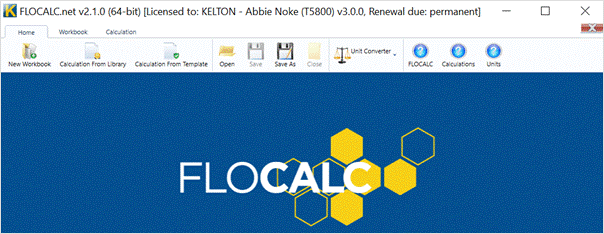
3. Click "License Manager" (displayed in the top right), then click the License Request button, as shown below.
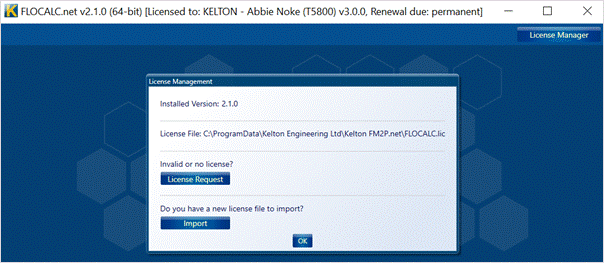
4. Attach the License Request.txt file from your desktop to the existing ticket or include in an email sent to support@kelton.co.uk